Blog

Consultez nos derniers articles au sujet sur peut-être votre prochaine imprimante professionnelle ainsi que de son usage. Vous trouverez des conseils utiles pour vous aiguiller dans le choix du photocopieur idéal pour votre entreprise.

Printer vs Photocopier: what are the differences?

Printer vs Photocopier: what are the differences?

In an increasingly digital world, printers and photocopiers remain essential tools for individuals and businesses. These devices, although distinct, meet complementary needs in terms of document production and reproduction. Printers are designed to create documents from digital files. They use various technologies, such as inkjet or laser printing, to transfer ink to paper. Photocopiers, on the other hand, specialize in reproducing existing physical documents. They work by scanning the original document and printing copies. Technological developments have led to the development of multifunction printers, which combine printing, scanning and photocopying capabilities in a single device. These devices offer increased versatility...
Short-term photocopier rental: the ideal solution for your temporary needs

Short-term photocopier rental: the ideal solution for your temporary needs

Short-term photocopier rental is an increasingly popular solution for businesses, whether small or large. Indeed, in a world where flexibility and adaptability are major assets, this option makes it possible to meet temporary needs without the constraints of a purchase. Whether for a one-off event, a specific project or a period of high activity, rental offers a quick and efficient response. In addition, it helps avoid upkeep and maintenance costs that can accumulate over time. By choosing this alternative, companies can concentrate on their core business without worrying about the hassle of managing equipment. In addition, short-term photocopier rental is...

Which professional scanner for archiving?

The professional scanner is a scanning device used by businesses and organizations to convert paper documents into digital files. It offers an efficient solution for archiving, searching and sharing documents. Professional scanners are designed to process large volumes of documents with high image quality and high speed. These devices feature various advanced features, such as automatic document feeding, two-sided scanning, optical character recognition (OCR), and file compression. They can process different types of documents, including contracts, invoices, reports and forms. Choosing a professional scanner depends on several factors, including scanning speed, resolution, daily processing capacity and connectivity options. Major manufacturers...

Photo Office photocopier

Who to choose as a professional photocopier supplier

In today’s professional world, the photocopier has become an essential tool for most businesses, whether small or large. Photocopying needs vary greatly from business to business, depending on their size, industry and goals. For example, a legal services company may require a photocopier that can handle large documents and produce high-resolution copies, while a technology startup might favor a more compact and versatile model. It is therefore crucial to assess the specific needs of your business before making a purchasing or leasing decision. This includes not only the volume of copies to be made, but also the printing speed, document...

Photo Printer vs Photocopier: Comparison

Printer vs Photocopier: what are the differences?

In an increasingly digital world, printers and photocopiers remain essential tools for individuals and businesses. These devices, although distinct, meet complementary needs in terms of document production and reproduction. Printers are designed to create documents from digital files. They use various technologies, such as inkjet or laser printing, to transfer ink to paper. Photocopiers, on the other hand, specialize in reproducing existing physical documents. They work by scanning the original document and printing copies. Technological developments have led to the development of multifunction printers, which combine printing, scanning and photocopying capabilities in a single device. These devices offer increased versatility...
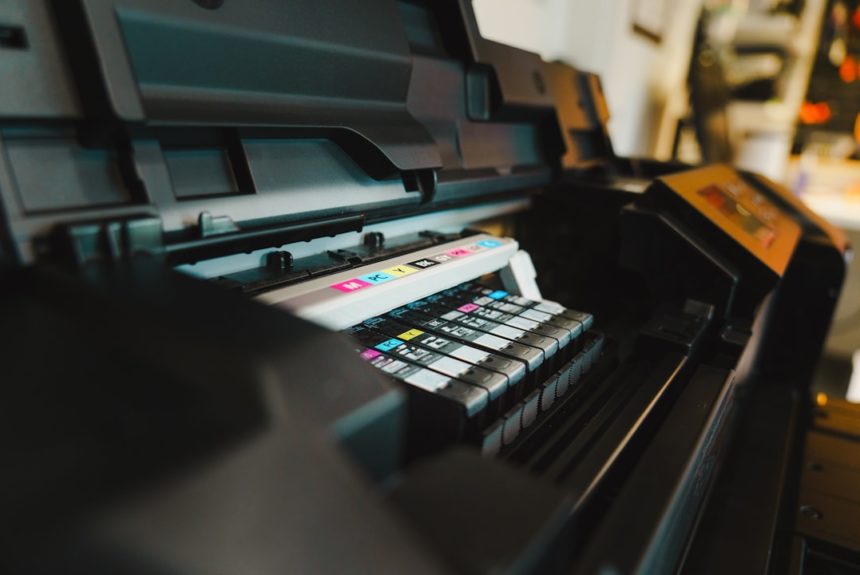
Photo Printer fleet

Printer fleet management

Printer fleet management is a systematic approach to optimizing the use of printing resources within an organization. This process encompasses several essential aspects: 1. Monitoring and maintenance: Regular monitoring of the status of printers and preventive interventions to ensure their proper functioning. 2. Consumables Management: Efficient procurement and distribution of ink cartridges, toner and paper. 3. Cost optimization: Analysis and reduction of printing-related expenses, including the purchase of equipment, maintenance and consumables. 4. Document Security: Implementation of protocols to protect sensitive information when printing and storing documents. 5. Reduction of environmental impact: Adoption of eco-responsible printing practices to minimize energy...

Photo Step-by-step guide

How to install a photocopier?

Choosing the location of a photocopier requires taking into account several essential criteria. Accessibility for users is essential, while avoiding heavy traffic areas to prevent accidents. There must be sufficient space to accommodate the device and allow comfortable use. Proximity to a power source is essential. Adequate lighting, preferably natural, makes the photocopier easier to use and maintain. It is crucial to choose an environment with stable temperature, controlled humidity and little dust, in order to preserve the proper functioning and longevity of the device. These factors, once taken into account, help determine the optimal location for a photocopier, ensuring...

Photo corporate

What is the best resolution to scan a document?

Scan resolution is a technical parameter that defines how accurately a scanner captures the details of a physical document when converting it to a digital format. It is expressed in dots per inch (dpi) or dots per inch (dpi) in English. The higher the resolution, the more fine and precise details the scanned image contains. The resolution directly influences the quality of the scanned image as well as the size of the resulting file. A higher resolution produces sharper, more detailed images, but also results in larger files. Conversely, a lower resolution creates lighter files but can result in loss...

Photo professionnal printer

How to control printing costs?

Printing costs are a significant expense for many businesses. According to a Gartner study, they represent on average 1 to 3% of annual turnover. Reducing these costs is therefore a major challenge for optimizing budgets. The main challenges related to managing printing costs are multiple: 1. Accurately assessing the company’s actual printing needs 2. Rational use of consumables (paper, ink, toner) 3. Effective inventory management of printing supplies 4. Optimization of the printer fleet and their configuration 5. Implementation of printing cost monitoring and analysis tools To meet these challenges, businesses can implement various strategies such as double-sided printing by...

What is the best small business printer?

Selecting a printer for a small business requires careful analysis of the organization’s specific needs. Small businesses typically have specific printing requirements, including volume, quality and features. It is crucial to choose a model that precisely meets these needs while remaining economically viable and easy to use. There are several factors to consider when choosing a small business printer: 1. Printing technology (laser or inkjet) 2. Printing speed 3. Print quality 4. Paper handling capacity 5. Connectivity options (Wi-Fi, Ethernet, USB) 6. Additional features (scan, copy, fax) 7. Total cost of ownership, including purchase price and consumables Top small business...