
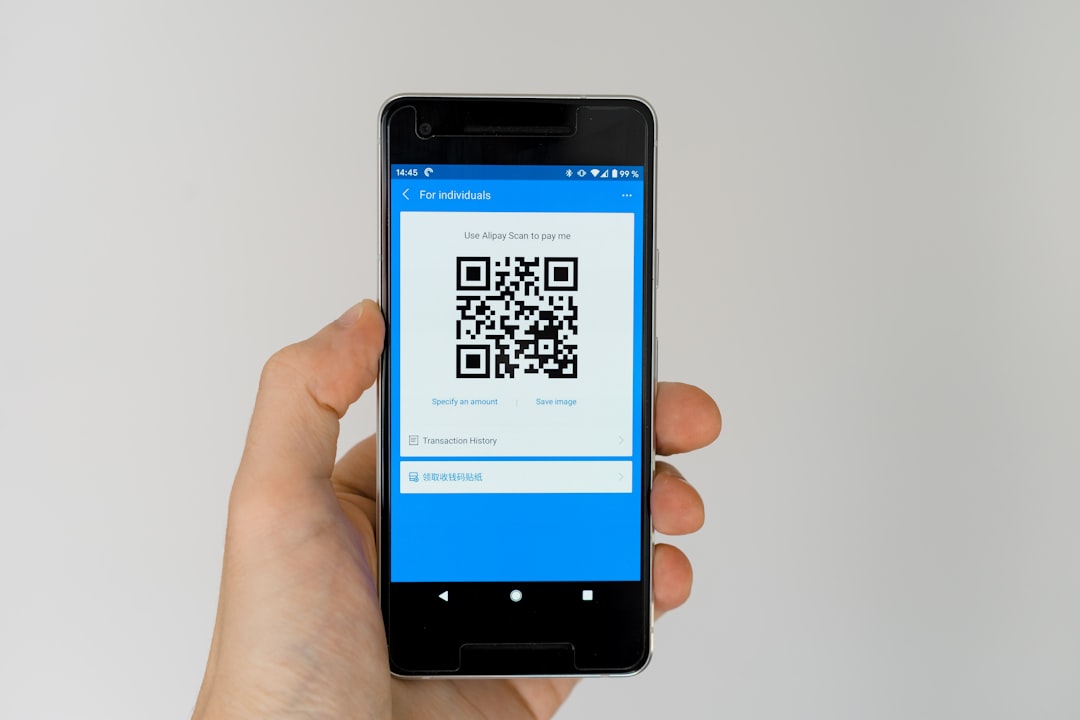
In an increasingly digital world, document management has become essential, whether for personal or professional reasons. Photographing your documents before photocopying them has several advantages. First, it allows you to preserve a digital version of your documents, which is particularly useful in the event of loss or damage to the originals.
Indeed, a well-taken photo can serve as a backup, saving you unnecessary hassle if the physical document goes missing. Furthermore, photographing your documents can also make sharing them easier. Indeed, it’s often easier to send an image via email or a messaging app than to go to a photocopier.
This can be particularly useful in situations where you need to quickly convey information to a colleague or partner. In short, photographing your documents before photocopying them is a step that combines security and convenience.
Summary
- Why photograph your documents before photocopying them? The tools you need to photograph your documents
- How to properly position your documents for photography
- The settings to use to obtain good image quality
- How to transfer photos to your computer or phone
- The tools you need to photograph your documents
Digital cameras for superior image quality
If you want to go further, a digital camera can also be used to obtain superior image quality. In addition to the camera, it is recommended to use a tripod or stable support to avoid motion blur. Good lighting is also crucial: favor natural light when possible, or use LED lights to illuminate your documents evenly.
The importance of light
Good lighting is essential for quality photos. It is therefore recommended to favor natural light whenever possible, or to use LED lamps to illuminate your documents evenly.
Apps for editing and converting your photos
Finally, specific apps can help you edit your photos or convert them to PDF, which can be very useful for optimal document management.
How to properly position your documents for photography
Scanner app
If necessary, use light weights to hold the corners of the document in place. This will ensure that the entire document is visible and that the edges are not cut off. It is also important to choose a neutral background to avoid any distractions in the image. A white or black background generally works well, as it will highlight the document without interfering with its content. Finally, take the time to adjust the shooting angle: photographing the document directly from above avoids distortion and ensures that all information is clearly visible.
Settings to Use for Good Image Quality
To obtain a sharp and clear image, it’s crucial to adjust certain settings on your camera or smartphone.
First, make sure the resolution is set to the highest possible level. This will ensure that even the smallest details in the document are captured accurately.
Additionally, enable the autofocus feature if your device has it; this will help ensure text is always sharp. Also, remember to adjust the exposure. An image that is too bright or too dark can make text illegible. Use the manual exposure feature if your device allows it to achieve the perfect balance between light and shadow. Finally, consider using macro mode if you’re photographing documents with fine details or small print; this will allow you to capture each element accurately.
How to Transfer Photos to Your Computer or Phone
Once you’ve photographed your documents, it’s time to transfer them to your computer or phone for further management. If you’re using a smartphone, transferring them can be as simple as sending them via email or an instant messaging app. Many apps also automatically sync your photos to the cloud, making them easy to access from any device. For those using a digital camera, you’ll need a USB cable to connect the device to your computer. Once connected, you can transfer files directly to a specific folder. Alternatively, you can remove the memory card from the camera and insert it into a card reader on your computer.
This will allow you to quickly access all your photos and organize them as you see fit.
Steps to edit photos if necessary
Photo Scanner app
Some photos may require editing before being used or shared. Fortunately, there are several tools and apps that make this task easier. To begin, open the photo in image editing software such as Photoshop or GIMP, or use a mobile app like Snapseed or Lightroom.
These tools offer a variety of features to improve the quality of your images. Start by cropping the image if necessary to remove excess background or to center the document. Then, adjust the brightness and contrast to make the text more readable.
The Advantages of Photographing Your Documents Over Photocopying Them
Photographing your documents has several advantages over traditional photocopying. First of all, photography often produces better image quality, especially if you use a good camera and follow the tips mentioned above. Fine details and small writing are often better captured by a photo than by a photocopy.
Furthermore, photography offers unparalleled flexibility when it comes to sharing and archiving. You can easily email images or store them in the cloud without needing a physical space to store hard copies. This also reduces paper usage and contributes to a more environmentally friendly approach to document management.
In short, photographing your documents is not only practical but also beneficial for the environment.
Precautions to take to ensure the confidentiality of your photographed documents
When photographing sensitive documents, it’s crucial to take certain precautions to ensure their confidentiality.
First, ensure the environment in which you’re photographing is secure and private. Avoid taking photos in public places where others may see your personal information.
Next, be vigilant when storing and sharing images. Use secure apps to transfer your photos and avoid sending sensitive information via unencrypted email. Also, remember to delete images from your device after use if they contain sensitive data.
By following these simple but effective tips, you can photograph your documents safely while maintaining their confidentiality. In conclusion, photographing your documents before photocopying them is a wise practice that offers several benefits in terms of security and convenience. By using the right tools and following a few simple steps, you can ensure that your information is not only well preserved but also easily accessible when you need it. To complement your reading on document scanning, I recommend checking out the article “How Cloud Printing Can Transform Your Business.” This article explores how cloud printing technology can improve business efficiency and productivity.
Leave a Reply