

Photocopier accessibility is an increasingly relevant topic in our modern society, where inclusion and equal opportunity are fundamental values. Photocopiers, while common office tools, can pose a barrier for some people, particularly those with disabilities. It is therefore crucial to consider how these devices can be adapted to meet the needs of all users.
By making photocopiers accessible, we not only take a step towards inclusion but also improve efficiency and productivity within work environments. In this article, we will explore the various aspects of photocopier accessibility, focusing on the specific needs of users with disabilities, the essential features to incorporate, and the applicable standards and regulations. We will also discuss the importance of staff training and best practices for the installation and layout of photocopiers. Finally, we will examine innovative technologies that can improve accessibility and the overall benefits of such an approach.
Summary
The accessibility of photocopiers is essential to ensure equal access to information and services for all users, including those with disabilities.
- The specific needs of users with disabilities must be taken into account, such as physical, visual, auditory, and cognitive accessibility.
- Essential features for making photocopiers accessible include user-friendly interfaces, zoom, contrast, and audio playback options, as well as touch and voice controls.
- Accessibility standards and regulations for photocopiers must be followed to ensure compliance with accessibility laws and standards.
- Staff training is crucial to provide adequate assistance to users with disabilities, helping them use photocopiers independently and efficiently.
- Specific Needs of Users with Disabilities
Users with disabilities have diverse needs that must be taken into account when designing and using photocopiers. For example, people with visual impairments may have difficulty reading the controls on a traditional control panel. Similarly, those with mobility limitations may have difficulty handling documents or reaching certain parts of the machine.
It is therefore essential to identify these specific needs in order to propose appropriate solutions. To address these challenges, it is important to involve the affected users in the design and evaluation process for photocopiers. This may include consulting with associations representing people with disabilities or conducting studies on the use of photocopiers by these groups. By better understanding their needs, manufacturers and businesses can develop devices that not only meet accessibility standards but also improve the user experience for everyone.
Essential Features for Making Photocopiers Accessible
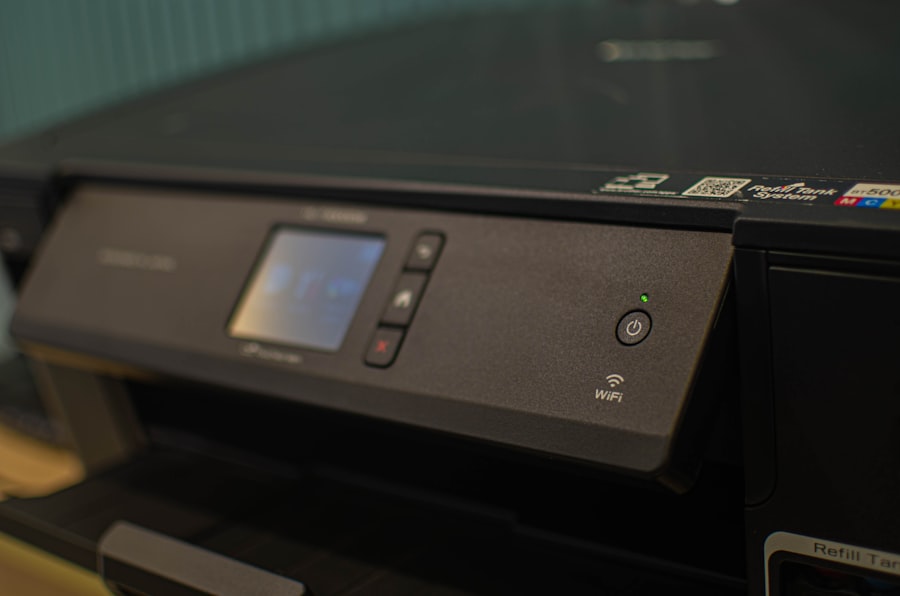
To ensure photocopiers are accessible, several essential features must be incorporated. First and foremost, a clear and legible display is essential.
Touchscreens must be large enough and have high contrast to facilitate reading.

Additionally, adding voice commands can greatly help visually impaired users navigate the various options available. Next, it’s crucial to integrate physical assistive devices, such as adjustable document supports or accessible paper trays. These features allow users with mobility limitations to more easily handle documents without having to bend or twist. Finally, the ability to use mobile applications to remotely control the photocopier can also be a major asset for those with mobility difficulties.
Standards and regulations for photocopier accessibility
Standards and regulations for photocopier accessibility
ISO 21542:2011 standard on universal accessibility of buildings
| Regulations on the accessibility of public facilities for people with disabilities |
|---|
| NF EN 301 549 standard on the accessibility of ICT products and services |
| Photocopier accessibility is not just a matter of common sense; It is also governed by specific standards and regulations. |
| In Europe, the Web Accessibility Guidelines (WCAG) and the EN 301 549 standard are two examples of frameworks that aim to ensure that digital products and services are accessible to all. |
Although these standards primarily concern digital technology, they also influence the physical design of devices such as photocopiers. Businesses must therefore ensure they comply with these regulations when purchasing or updating their equipment. This not only means choosing photocopiers that meet accessibility standards, but also ensuring that staff are trained to assist users with disabilities. By complying with these requirements, businesses can not only avoid potential penalties but also promote a culture of inclusion within their organization. The Importance of Staff Training to Assist Users with Disabilities
Staff training is a key element in ensuring that photocopiers are used effectively by all users, including those with disabilities. Well-trained staff will be able to quickly identify specific user needs and provide the necessary assistance. This may include explaining the copier’s accessible features or assisting with document handling.
Furthermore, raising awareness of the importance of accessibility can help create a more inclusive environment within the company. Training staff on the challenges faced by people with disabilities fosters a culture of empathy and understanding. It can also encourage employees to suggest ideas for further improving accessibility within their work environment.
Best Practices for Installing and Layouting Photocopiers
The Ideal Location
It is essential to choose a location that is easily accessible to all users, including those in wheelchairs or with other physical limitations. For example, the photocopier should be placed at an appropriate height to allow comfortable use without requiring excessive effort.
A safe and well-lit space
Additionally, it is recommended to create a clear and well-lit area around the photocopier. This not only improves visibility for all users, but also prevents any risk of accidents.
An installation accessible to all
By incorporating these best practices into the installation process, businesses can ensure that their photocopiers are truly accessible to all.
Innovative technologies to improve photocopier accessibility
With the rapid evolution of technology, several innovations can help improve the accessibility of photocopiers. For example, some recent models incorporate advanced features such as voice recognition or gesture control. These technologies allow users to interact with the photocopier without the need for a touchscreen or keyboard.
Furthermore, the integration of mobile applications can offer additional flexibility to users with disabilities. These applications not only allow remote control of the photocopier, but also access specific features tailored to individual needs. By adopting these innovative technologies, businesses can not only improve accessibility but also offer a richer user experience.
The Benefits of Accessible Copiers for All Users
Finally, it’s important to emphasize that making copiers accessible not only benefits users with disabilities; it also improves the experience for all employees. An inclusive environment fosters collaboration and productivity, as every employee feels valued and able to contribute fully. Furthermore, by investing in accessibility, businesses strengthen their brand image and social responsibility.
Leave a Reply